
CMMC scoping guide: how to define your assessment boundary
Key takeaways
- Scope is a design choice that sets your cost. Every asset inside the boundary is one you secure, document, and prove for years, so drawing it tight is what keeps the program affordable.
- The July 2026 Phase 2 pause raised the stakes on scoping. With third-party audits suspended, your self-assessment and SPRS score are the government's main view of your compliance, and your affirmation carries the liability.
- FCI puts you at Level 1 and 15 requirements, CUI puts you at Level 2 and all 110, so scoping starts with knowing which one you actually hold.
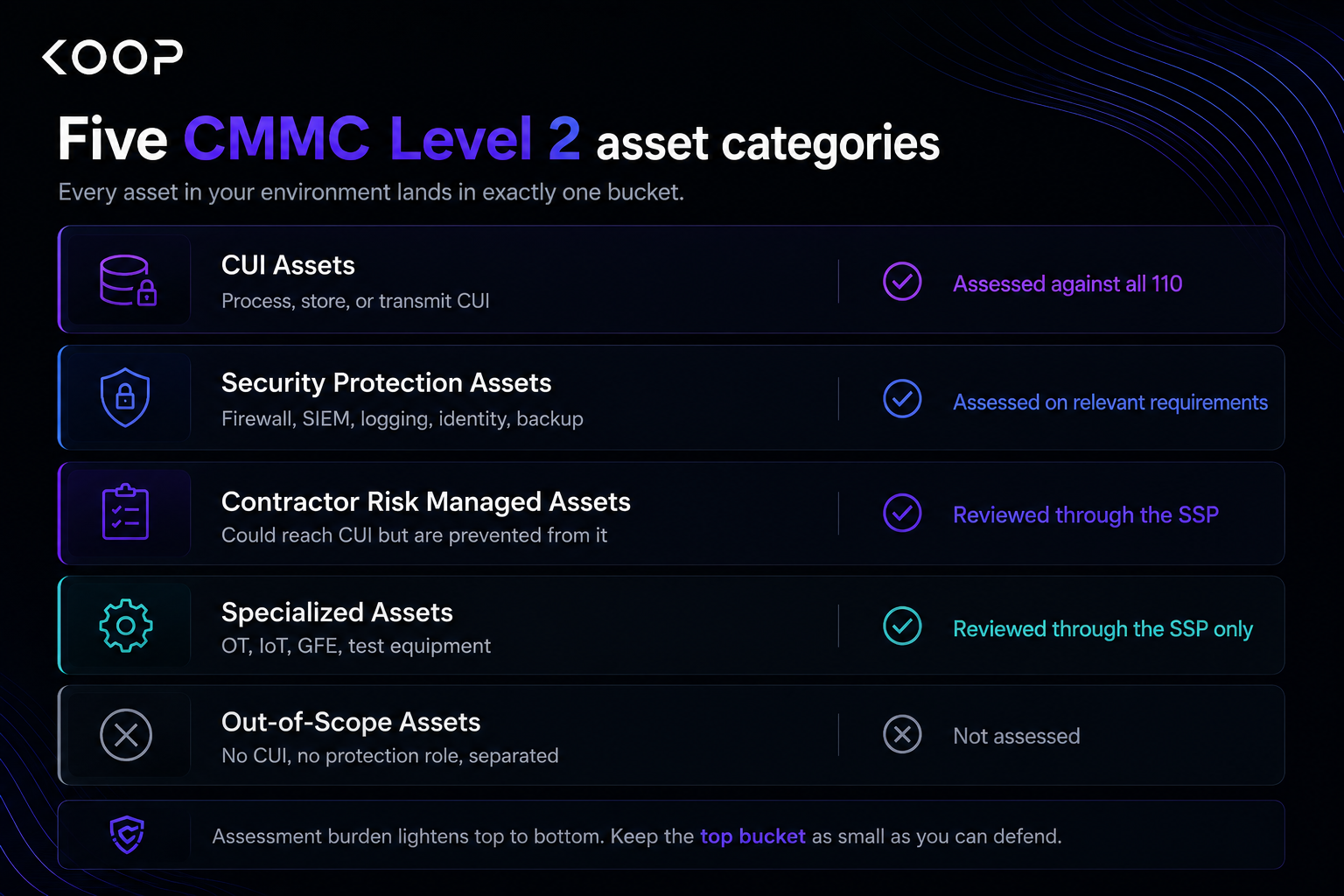
- Build the boundary from the data outward: trace one piece of CUI end to end, sort every asset it touches into the five categories, enforce the line with configuration, and document it in the SSP.
- An enclave shrinks the scope and the bill, but only if it holds. Wall CUI off and most of your systems drop out of scope, though one leak past the wall puts them right back in.
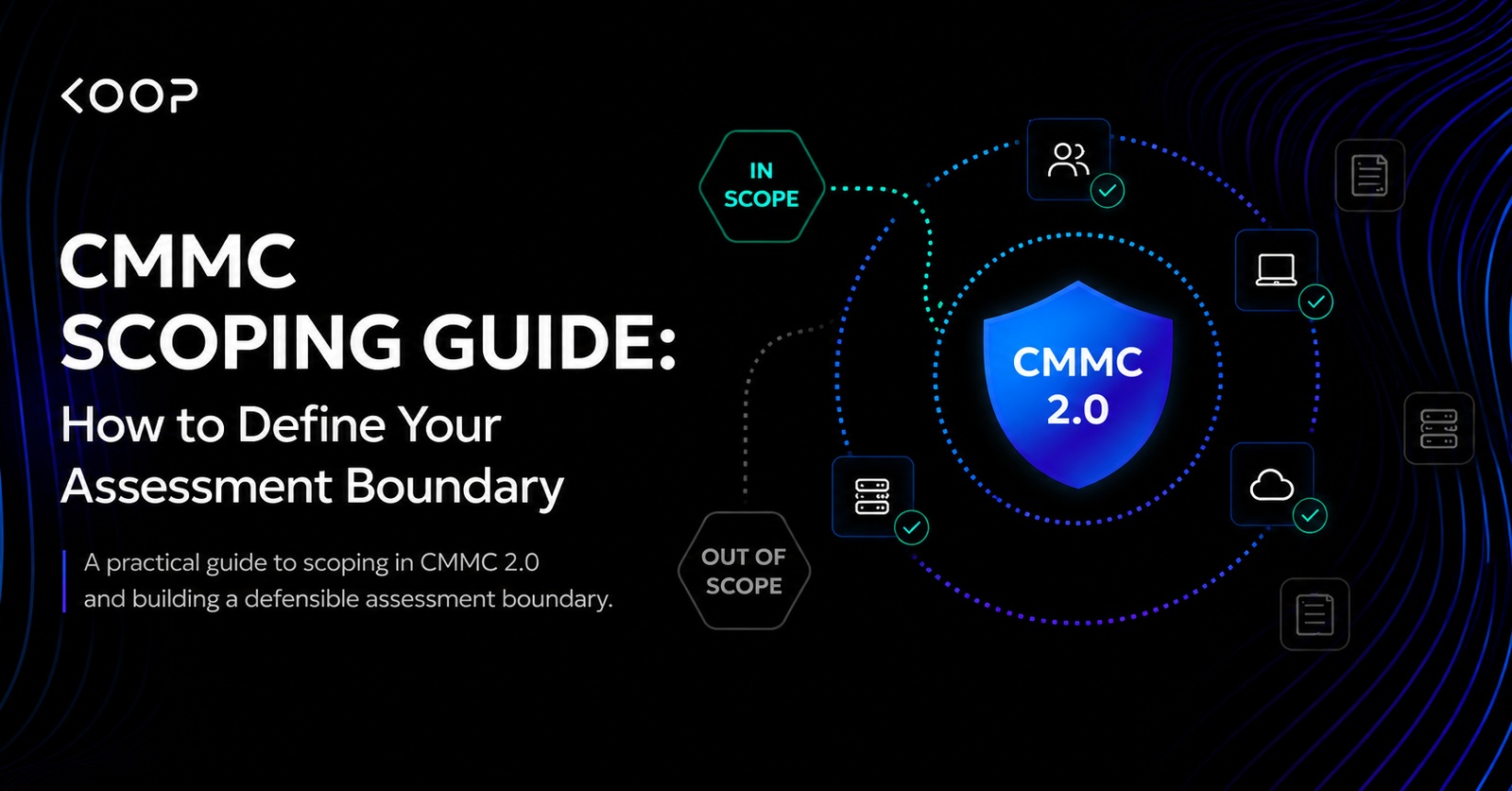
CMMC scoping is how you identify every asset, person, and facility that handles federal contract information or controlled unclassified information, plus the security systems that guard them, like firewalls, logging, and identity tools. That set is your assessment boundary. It decides what an assessor evaluates and what you pay to secure.
Most contractors who fail a CMMC assessment do not fail on technology. They fail on scope. Set the boundary too wide, and you spend months hardening machines that never touch CUI. Set it too narrow and an assessor finds the gap you left open. Either way, you have spent time and money on the wrong work before your real security even begins.
Scope is not paperwork you finish at the end. It is a design decision you make at the start, and it is the one part of CMMC you still fully control.
The Phase 2 pause put your self-assessment center stage
For two years, the industry braced for third-party audits. Then on July 13, 2026, the Department of War suspended CMMC Phase 2, the stage that would have required a C3PAO to certify your Level 2 environment. That mandate was set for November 10, 2026. It is now on hold, along with Phases 3 and 4, while a 60-day reform task force reviews the program.
The suspension made headlines, but CMMC did not go away. Phase 1 has been in force since November 10, 2025, and nothing about it changed. You still self-assess. You still post your score to SPRS. You still sign an annual affirmation. NIST SP 800-171, DFARS 252.204-7012, and FedRAMP Moderate for cloud CUI all still apply exactly as they did the day before the announcement.
What actually changed is who checks your work. Until the pause lifts, contracts can carry only Level 1 (Self) or Level 2 (Self) designations. No contracting officer can require a C3PAO certification during the suspension. The outside auditor who was going to validate your boundary is gone, and your self-declared scope is now the government's primary view of your compliance.
That shift puts more weight on how you scope. When a signature replaces an audit, the signature carries the liability. Get the boundary wrong, and you are not failing a test in a controlled room.
In June 2026, Huntsville contractor LOGZONE agreed to pay $507,144 to settle False Claims Act allegations that it billed the Navy for years while failing to implement the cybersecurity controls its contracts required. When the government assessed its systems, it scored -170 on a scale that tops out at 110. A routine assessment drove the case. That is the enforcement model you are operating in right now, and it runs straight through the scope you draw.
FCI is Level 1, CUI is Level 2. Know which you hold.
Your data type decides your level, and your level decides everything downstream. Before you draw a single boundary, you have to know whether you hold federal contract information, controlled unclassified information, or both.
Federal contract information is the floor. It is any non-public information the government gives you or that you generate for the government under a contract, minus the obvious exclusions like public websites and routine payment processing. Almost every defense contractor holds FCI. It puts you at Level 1, assessed against the 15 basic safeguarding requirements in FAR 52.204-21.
Controlled unclassified information is the trigger. It is government information that a law, regulation, or government-wide policy requires or permits you to safeguard, defined by category in the NARA CUI Registry. If you hold CUI, you are at Level 2, assessed against all 110 requirements in NIST SP 800-171. That jump from 15 requirements to 110 is the single most expensive line in your compliance budget, which is why getting the data type right comes first.
All CUI in a contractor's possession is also FCI. Not all FCI is CUI. Picture CUI as the smaller, more sensitive circle sitting inside the larger FCI one. Two terms blur that picture, and both collapse into CUI once you look closely.
Do not scope from what you assume you hold. Scope from what your contracts and your incoming data actually contain. A single email from a program office, marked CUI, can turn a shop that believed it was FCI-only into a Level 2 environment overnight. When a marking shows up you did not expect, treat the data as CUI and confirm with the originator who sent it.
Build a defensible boundary in six steps
Scoping is not a meeting where you gesture at a network diagram. It is a sequence you can repeat and defend, and it runs in order. Skip ahead, and you end up redrawing the line twice.
Shrink your scope and your bill with an enclave
Every earlier section points at one lever. If in-scope assets drive cost, then the cheapest CMMC environment is the smallest one you can legitimately draw. An enclave is how you build it small on purpose.
A CUI enclave is a walled-off environment where all your CUI lives, separated from the rest of the business by configuration. Everything inside faces the full weight of the 110 requirements. Everything outside, if the wall holds, stays out of scope. Instead of putting your whole company through Level 2, you scope one controlled zone.
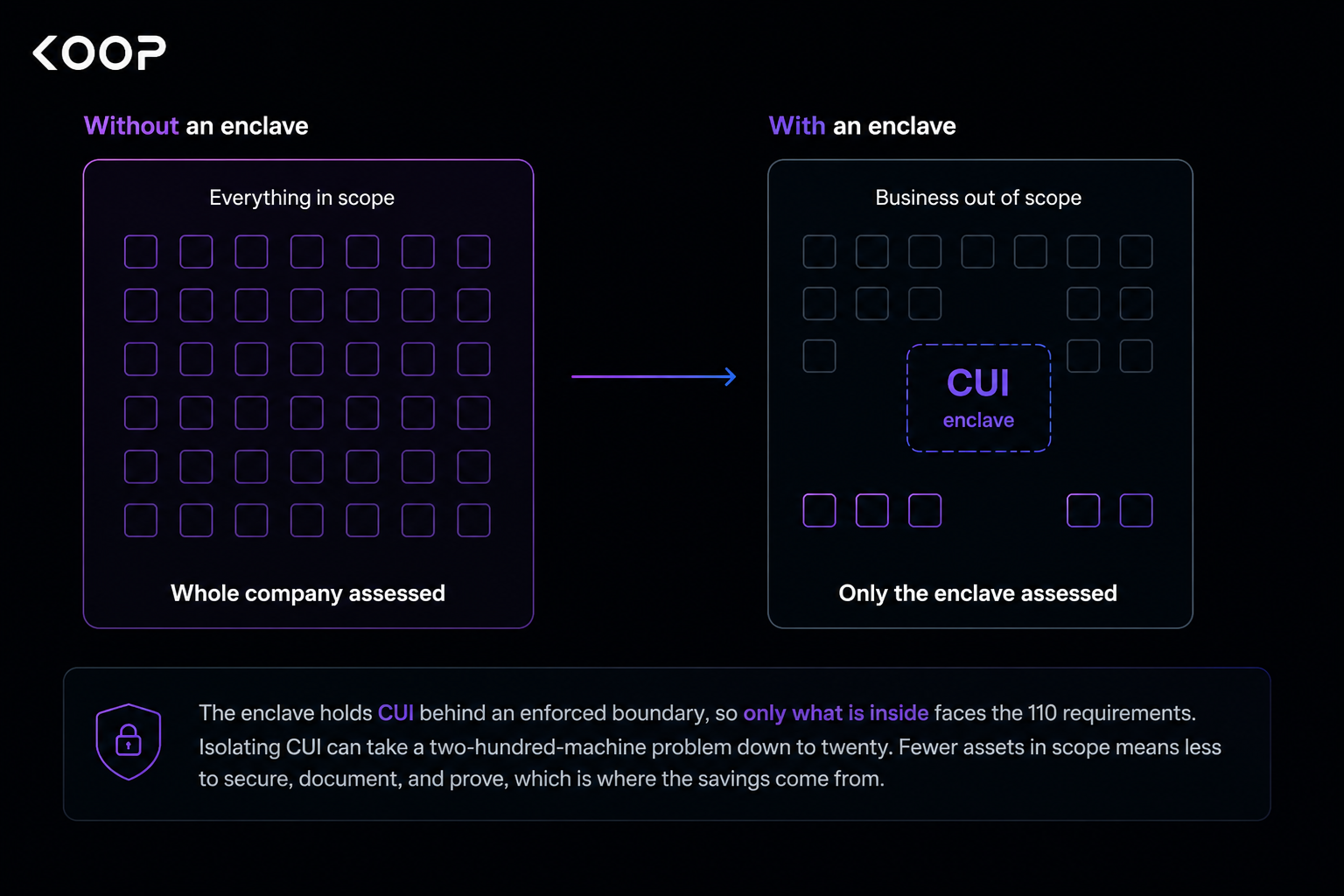
The savings are not marginal, and the reason is simple. An enclave shrinks the number of machines, people, and facilities that face the 110 requirements, and fewer of each means less to do at every stage. Every asset you keep outside the wall is one you never have to harden, document, monitor, or prove to an assessor, and every user outside it is a GCC High license and a training seat you never buy. Scope is the multiplier on almost every line of the invoice, so shrinking it is the one move that lowers all of them at once.
Most enclaves live in a FedRAMP-authorized cloud, the same environments DFARS requires for CUI, such as Microsoft 365 GCC High, Azure Government, or AWS GovCloud. Some contractors run a physical enclave instead, a locked room or a segmented on-premises network. The model matters less than the discipline behind it.
That discipline is the catch, and it is where enclaves fail. An enclave saves nothing if CUI leaks back out of it. The moment someone emails a CUI file to a commercial mailbox, saves it to a local desktop, or drops it in an unmanaged share, the wall is breached, and the outside environment is back in scope. This is also why a VLAN alone is not an enclave. Separation counts only when access controls and monitoring actively keep CUI inside, with evidence you can put in front of an assessor. Build the boundary, then hold the line, or the savings evaporate.
Five scoping mistakes that fail assessments
The failures that sink assessments are rarely complicated. They are the same handful of scoping errors, made by people who understood the controls but drew the boundary wrong. Here are the five that show up most.
How Koop keeps your scope accurate after day one
Everything above is work you can do by hand. The reason most teams do not keep it up is that scope is not a one-time task, it is a living record that has to match a moving environment, and hand-maintained records fall behind.
That is the specific problem Koop is built for. It is an AI-native platform that pulls compliance, third-party risk management, requirements management, and business insurance into one place, so the boundary you define and the evidence that proves it live in the same system. For CMMC specifically, Koop covers Level 1 and Level 2 readiness and generates the artifacts this guide keeps pointing at: the SSP, the POA&M, and the SPRS score, with GovCloud integrations for evidence and a gap analysis that strips out the controls that do not apply to your scope.
The payoff shows up where scoping is hardest, in the upkeep. Drawing the boundary once is the easy part. Holding it steady month after month, so what you affirm to the government still matches what you actually run, is where a live system beats a static spreadsheet.